
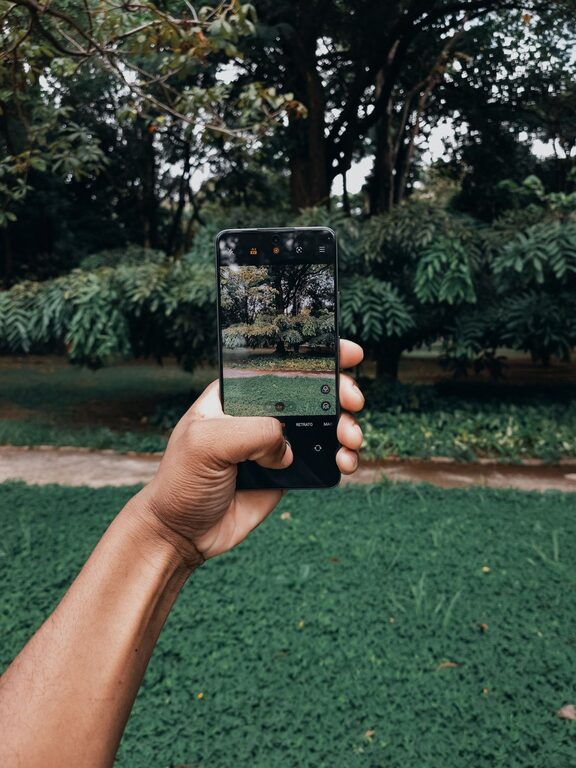
Taking great photos with your phone is easier than you might think. Whether you want to capture special moments, share your experiences on social media, or simply enjoy photography as a hobby, a few simple techniques can help you take better phone photos. In this post, we’ll explore beginner-friendly tips that can improve your phone photography skills, from understanding lighting to composing your shots.
Understanding Your Phone Camera
Before diving into tips, it’s helpful to know what your phone camera can do. Modern smartphones come equipped with multiple lenses, various shooting modes, and editing tools. Take some time to explore your camera app. Check out features like:
– Gridlines: Helps with composition by dividing the screen into thirds.
– HDR (High Dynamic Range): Balances light and dark areas in your photos.
– Focus and Exposure Controls: Allows you to adjust where the camera focuses and how bright the image is.
– Portrait Mode: Creates a blurred background effect to highlight your subject.
Knowing these basics prepares you to use your phone camera more effectively.
Tip 1: Focus on Lighting
Lighting makes a huge difference in photography. Here are some tips to work with light:
– Use natural light: Whenever possible, shoot in daylight. Soft, diffused light during early morning or late afternoon (called golden hour) adds warmth and reduces harsh shadows.
– Avoid direct sunlight: Midday sun can create strong shadows and highlights. If shooting outside in bright sun, find shade or use a light diffuser.
– Use indoor light creatively: Position your subject near windows or lamps for natural-looking light. Avoid overhead lights that produce unflattering shadows.
– Try backlighting: Placing a light source behind your subject can create interesting silhouettes or glowing effects, but be mindful of exposure.
Tip 2: Keep Your Lens Clean
It’s easy to forget, but phone lenses can get dirty from fingerprints, dust, or smudges. A dirty lens leads to blurry or foggy photos. Regularly wipe your lens with a soft, lint-free cloth, like a microfiber cloth, to keep your images clear and sharp.
Tip 3: Use the Rule of Thirds for Better Composition
Composition is how you arrange elements within your photo. The Rule of Thirds is a simple guideline that can help make your photos more balanced and pleasing to the eye.
– Enable the gridlines in your camera app.
– Imagine your photo divided into nine equal parts by two horizontal and two vertical lines.
– Place key elements along these lines or at their intersections rather than centered.
This technique often results in more dynamic and interesting photos.
Tip 4: Get Closer and Fill the Frame
Don’t be afraid to move closer to your subject. Filling the frame eliminates distracting backgrounds and brings attention to the key subject. Most phones can’t zoom in too much without quality loss, so physically moving closer usually yields better results than zooming digitally.
Tip 5: Experiment with Angles and Perspectives
Try different angles instead of always shooting at eye level. Crouch down, shoot from above, or tilt your phone to create unique perspectives. Changing the angle can make an ordinary subject look more captivating.
Tip 6: Steady Your Shot
Blurry pictures often happen because the phone shakes while taking the photo. To avoid this:
– Hold your phone with both hands.
– Rest your elbows against your body for stability.
– Use a tripod or phone stand if you have one.
– Take advantage of the timer function to reduce camera shake caused by tapping the shutter button.
Tip 7: Use Focus and Exposure Controls Manually
Tap the screen on your phone to set the focus point. This helps your camera know where to sharpen the image. Most phones also allow you to adjust exposure (brightness) by sliding your finger up or down after tapping focus. Manual adjustments can prevent overexposed or underexposed images.
Tip 8: Don’t Rely Solely on Filters
While filters and effects can enhance your photos, try to capture the best image possible before editing. Aim for good lighting, composition, and focus first. Editing can then be used to enhance rather than fix a photo.
Tip 9: Explore Editing Apps
Basic editing can greatly improve your phone photos. Many built-in apps offer tools for cropping, adjusting brightness, contrast, and color balance. Additionally, free apps like Snapseed, VSCO, or Lightroom Mobile offer more advanced editing features in an easy-to-use format.
Tip 10: Practice Regularly
Photography is a skill that improves with practice. Take your phone with you and shoot as often as you can. Experiment with different subjects like nature, street scenes, portraits, or food. Review your photos and think about what worked and what could be better next time.
—
Wrapping Up
Taking better photos with your phone combines understanding your device and applying simple techniques. Focus on good lighting, steady your shots, compose thoughtfully, and practice regularly. With these beginner tips, you’ll notice your phone photos improving quickly—making capturing and sharing moments even more enjoyable. Remember, the best camera is the one you have with you, so start snapping today!
About the Author